
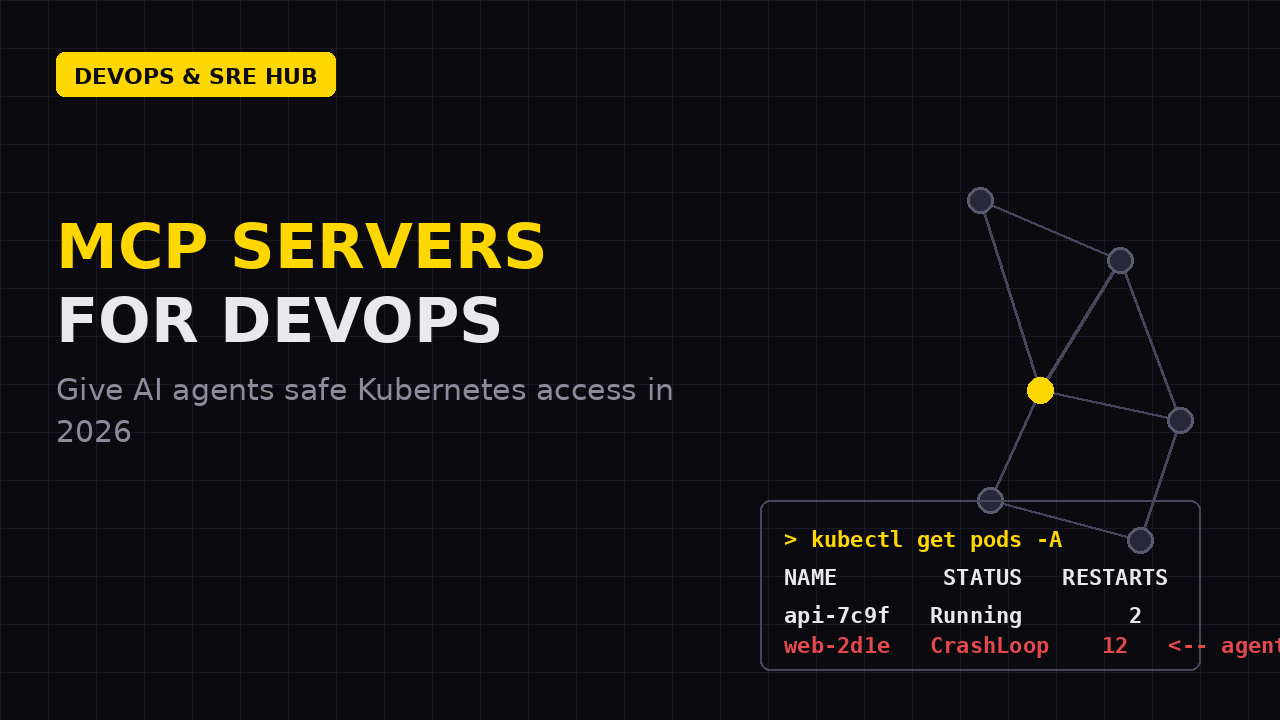
If you follow the DevOps conversation on Hacker News or r/kubernetes, you’ve seen the pattern: every few months a new abstraction shows up that looks like hype, then quietly becomes the default. In 2026, that abstraction is MCP — the Model Context Protocol. KubeCon EU dedicated an entire day to it (“Agentics Day”), kagent entered the CNCF Sandbox, AWS made its MCP Server generally available in May 2026, and Google shipped the GKE Agent Sandbox with a managed remote MCP server. The direction is clear: AI agents are not a side project anymore, and MCP is the socket they plug into.
For an SMB team, the practical question isn’t “is MCP cool?” It’s: how do I let an AI agent look at my Kubernetes cluster without giving it the keys to everything? This article shows you exactly that — the ecosystem in one glance, a read-only setup you can run in 15 minutes, and the RBAC that keeps it safe. If you’re new to agents on infrastructure, our deep dive on AI agents managing infrastructure is the right companion piece.
Why MCP won: the end of the N×M integration problem
Before MCP, every AI coding tool (Claude Code, Cursor, Copilot, your custom agent) needed a bespoke integration for every system it touched: one for Kubernetes, one for Grafana, one for AWS. That’s an N×M integration matrix that only enterprises could afford to fill. MCP flips it: one protocol, one server per system, any client. An MCP server exposes three primitives — tools (things the agent can do), resources (data it can read), and prompts (reusable workflows). Any MCP-compatible client can consume any server, the same way USB-C works across devices.
For DevOps specifically, the trend accelerated in 2026: the Kubernetes SIG shipped an MCP lifecycle operator, Lens Desktop became the first major Kubernetes UI with a built-in MCP server, and the kubernetes-mcp-server project crossed 1,500 GitHub stars with a steady weekly release cadence. The ecosystem is converging on a small set of solid servers — which matters, because a protocol is only as secure as its most popular implementations.
The Kubernetes MCP server landscape in 2026
You don’t need to evaluate the 70+ Kubernetes MCP servers floating around registries. Four options cover 95% of SMB use cases:
- containers/kubernetes-mcp-server — the closest thing to an official server, maintained under the containers org (the Red Hat-adjacent community behind Podman). Written in Go, Apache-2.0, it talks directly to the Kubernetes API server — no kubectl, no Helm binary as a dependency. Ships Helm, Tekton, and OpenShift support, with OpenTelemetry built in. It has no
--readonlykill switch, so you rely on RBAC plus its newer confirmation-rules (elicitation) system that asks a human before destructive actions. - @strowk/mcp-k8s — a small TypeScript server that wraps kubectl and ships a
--readonlyflag that disables every tool that can write to the cluster. The best entry point if you want read-only-by-default with zero infrastructure changes. - Flux159/mcp-server-kubernetes — the most popular kubectl-wrapping server (MIT, TypeScript). Cautionary tale included: it patched a High-severity argument injection CVE (CVE-2026-39884) in v3.5.0. Vet any MCP server’s supply chain before you wire it to your cluster.
- Cloud-managed — the AWS MCP Server (GA May 2026) covers EKS among all AWS services, and Google’s GKE Agent Sandbox runs a managed remote MCP server for you. If you’re all-in on one cloud, start here; the vendor does the patching.
There is still no CNCF-official Kubernetes MCP server — treat anything claiming to be “official” with suspicion.
Run MCP read-only in 15 minutes
Let’s connect a real agent to your cluster, read-only, using your existing kubeconfig. With the containers server via Docker:
docker run --rm -i \
  -v ${HOME}/.kube:/root/.kube:ro \
  ghcr.io/containers/kubernetes-mcp-server:latest
Or, with the smaller kubectl-wrapping server and its read-only flag:
npx -y @strowk/mcp-k8s --readonlyNow register the server with your client. For Claude Desktop, add this to claude_desktop_config.json:
{
  "mcpServers": {
    "k8s": {
      "command": "npx",
      "args": ["-y", "@strowk/mcp-k8s", "--readonly"]
    }
  }
}
Restart the client and you can ask, in plain English: “List all pods in the production namespace that have restarted more than three times in the last hour, and show the most recent error log lines.” The agent discovers the server’s tools, calls them against the Kubernetes API, and reasons over the results. Debugging an incident goes from twenty minutes of kubectl archaeology to a thirty-second conversation — while the write path stays locked.
Least privilege is the real kill switch
Read-only flags are a convenience, not a security boundary — any server that can talk to the API as you can use your permissions. The actual boundary is RBAC, and the pattern is exactly what we covered in our least-privilege RBAC guide: a dedicated ServiceAccount, scoped to a namespace, with only read verbs, bound to a kubeconfig that the MCP server uses. Never point an agent at your personal admin kubeconfig.
apiVersion: v1
kind: ServiceAccount
metadata:
  name: mcp-reader
  namespace: platform
---
apiVersion: rbac.authorization.k8s.io/v1
kind: Role
metadata:
  name: mcp-read-only
  namespace: platform
rules:
  - apiGroups: [""]
    resources: ["pods", "pods/log", "services", "events"]
    verbs: ["get", "list", "watch"]
  - apiGroups: ["apps"]
    resources: ["deployments", "statefulsets", "replicasets"]
    verbs: ["get", "list", "watch"]
---
apiVersion: rbac.authorization.k8s.io/v1
kind: RoleBinding
metadata:
  name: mcp-reader-binding
  namespace: platform
subjects:
  - kind: ServiceAccount
    name: mcp-reader
    namespace: platform
roleRef:
  kind: Role
  name: mcp-read-only
  apiGroup: rbac.authorization.k8s.io
Generate a kubeconfig for that ServiceAccount (extract the token, set the cluster endpoint), mount it read-only into the MCP server, and verify the blast radius with kubectl auth can-i --list --as=system:serviceaccount:platform:mcp-reader. Add three more rules to the playbook: run agents on your laptop or in a dedicated pod, never in the cluster’s control plane; keep the server’s network egress restricted if it runs in-cluster; and use the confirmation-rules/elicitation features for anything that writes.
Guardrails, and knowing when to say no
Even with the right RBAC, treat MCP servers as one more workload to govern. Enforce admission policies (OPA/Gatekeeper can block agents from touching production namespaces or mutating critical deployments), enable Kubernetes audit logging so every agent action is a record you can replay, and keep the agent’s model spend visible — if you use multiple models, the LLM gateway patterns we covered apply just as much to agents as to chat apps.
And know the line: MCP is fantastic for reading, diagnosing, and proposing. Let agents drive the read path and draft the change; keep the human in the loop for anything that deletes, scales, or touches production data. That division of labor is exactly what the AI-augmented DevOps teams we work with end up with.
Want to get agentic operations right the first time? Book a free 30-minute DevOps consulting session — we’ll audit your Kubernetes setup and map the safest AI integration path for your team.
 English
  Español